 Cedro
Save images and slides
Digital slides and microscope files, with channels, Z planes and original values.
SVS · NDPI · MRXS · CZI · ND2 · LIF · OME-TIFF
Convert photos, audio, video and documents. Work on PDFs, transcribe meetings, sign with a smart card. Everything on your computer: your files never leave it.
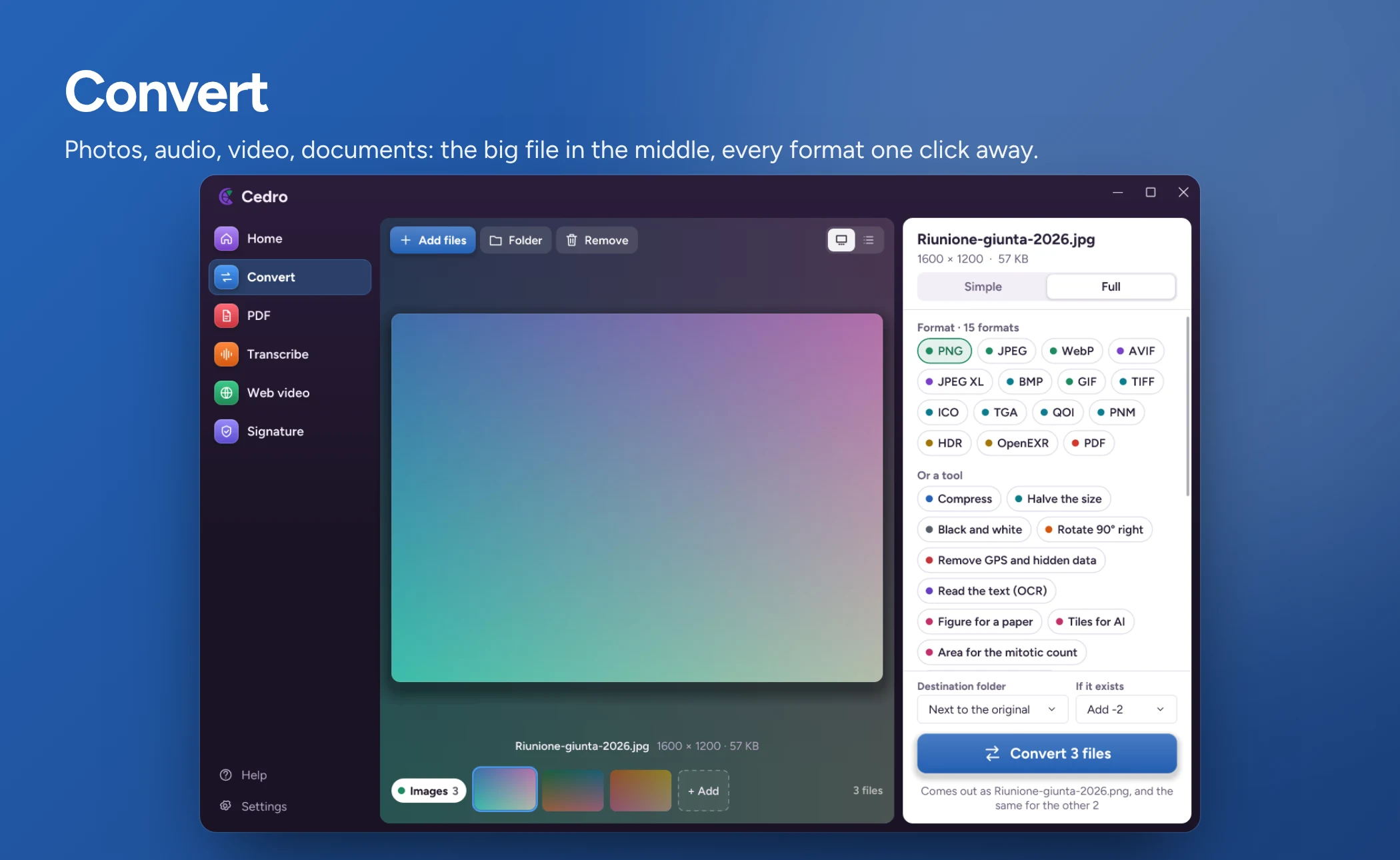
Features
Drop a file and Cedro opens the right activity. The new copy appears next to the original, which stays untouched. Pick an activity to see its page.
Photos, audio, video and documents in the format you are asked for. The file stays big in the middle, every format sits on the right.
PNG · JPEG · WebP · AVIF · JPEG XL · SVG · DOCX · ODT · MP3 · FLAC · MP4 · MKV
Why trust it
0
Conversion, OCR, transcription and summaries run on your PC. The internet is only used for updates.
MIT
All the source is on GitHub, written from scratch in Rust.
70+
Every file of every version goes through VirusTotal, with the public report in the release notes.
0 €
No subscriptions, no accounts, no ads.
For laboratories
The same Cedro, with lab activities in place of file types. Open a slide, remove patient data, prepare the figure for your paper. Images never leave your computer.
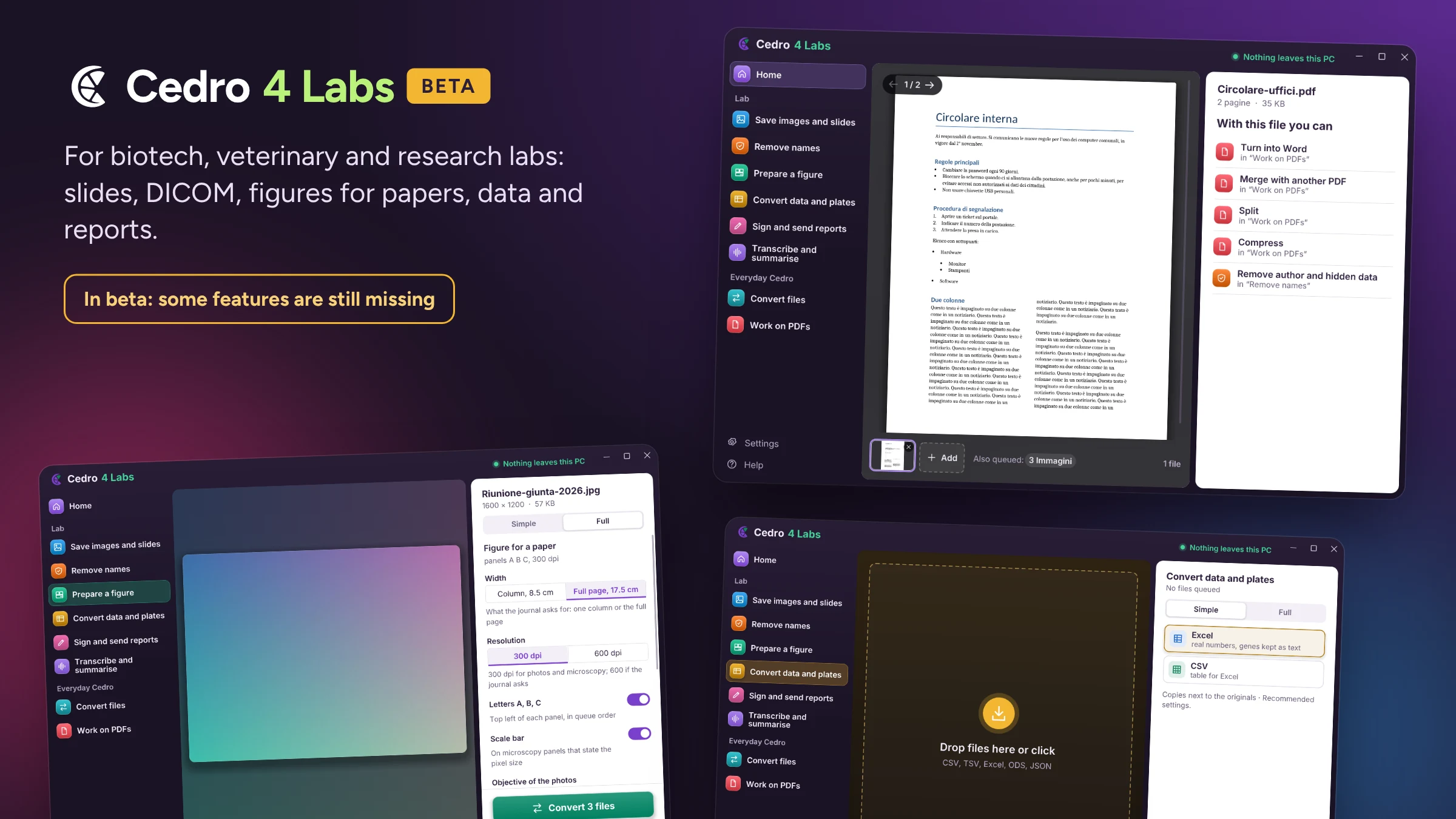
Digital slides and microscope files, with channels, Z planes and original values.
SVS · NDPI · MRXS · CZI · ND2 · LIF · OME-TIFF
Anonymizes DICOM and strips authors, GPS and hidden data from PDF, Office and photos.
DICOM · PDF · DOCX · XLSX · JPEG
Panels ready for your paper, with the scale bar taken from the measurement stored in the file.
TIFF · PNG · PDF · scale bar in µm
Instrument CSV and TSV to Excel, and data packages with SHA-256 checksums for the archive.
CSV · TSV · XLSX · BagIt
The report as a PDF, signed with the smart card and ready to send.
PDF/A · .p7m · CNS
Dictate the report or record the lab meeting. A report stays a draft until numbers and key words are confirmed.
Word · TXT · veterinary glossary
| Area | Available now | Still missing |
|---|---|---|
| Images | Aperio SVS, Hamamatsu NDPI, 3DHistech MRXS, Zeiss CZI, ND2, LIF, OME-TIFF, DICOM | Olympus VSI, DICOM from CD with DICOMDIR |
| Data | CSV/TSV ↔ Excel, BagIt package with SHA-256 | Colour plate map |
| Privacy | Removes names, authors, GPS and hidden data from PDF, Office, photos and DICOM | Other proprietary formats |
| Voice | Transcription with veterinary glossary, summary, dictated reports | Ready-laid-out reports |
This is a beta: if you use it in the lab, check the results and tell us what looks wrong.
Download
Install it once and it updates itself. Latest version: 0.55.0, 19 November 2026.
For almost every PC. Installs for your user only, no administrator rights needed.
Cedro-Setup-0.55.0.exe · 28 MBDownload for WindowsUnzip and open cedro.exe. Nothing to install, works from a USB stick too.
Wayland with KDE Plasma or GNOME. Extract and run ./install.sh, no sudo.
Windows warns you?
The installer is not code-signed yet. Click More info, then Run anyway.
After installing
Cedro lives there. Open the window, conversions and settings from it.
Cedro 4 Labs
Or later, in Settings › Appearance. It is the same program.
Checked on every release. Each file goes through VirusTotal with more than 70 antivirus engines and the report is in the release notes. Unsigned programs can get an isolated flag: the report says which engine, and you can compare the SHA-256 of the file you downloaded.
FAQ
No. It always creates a copy next to the original, which stays as it was.
No. Conversion, OCR, transcription and summaries happen on your computer. The internet is used for updates, for downloading components the first time, and for web videos.
Yes. Transcription runs on your computer, using the graphics card when there is one, and the text comes out as Word, plain text or subtitles. Internet is only needed the first time, to download the model.
Yes, with real headings, tables and lists. It works on scans too, thanks to OCR.
Yes. You sign with the smart card (CNS) or the USB token, and verify the .p7m files and signed PDFs you receive.
With Cedro 4 Labs, yes: Aperio SVS, Hamamatsu NDPI, 3DHistech MRXS, Zeiss CZI, ND2, LIF, OME-TIFF and DICOM, with anonymisation too.
Nothing. Cedro is free and open source under the MIT licence.
Not for now: Windows 10 and 11 and Linux with Wayland (KDE Plasma or GNOME).
No, it is the same Cedro with a look made for laboratories. Pick it in the installer or in Settings › Appearance, and switch back in one click.